ByJohn A
Best Resume Makers of 2026: Building a Professional Resume Without Design Skills
A comparative look at online resume builders suited to job seekers who want a clean, professional document without opening a design program.
Introduction
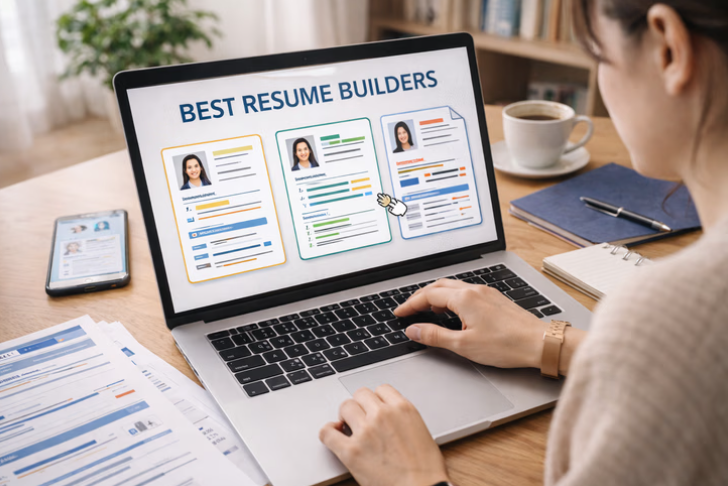
Resume makers have settled into the job search as a standard first step. Applications now travel through digital pipelines and screening software before a hiring manager ever opens the file, so a document that is quick to assemble, easy to update, and legible on a screen carries real weight. The category exists to shorten the distance between a candidate’s experience and a page that presents it clearly.
The people who reach for these tools vary widely. Recent graduates put together a first resume, career changers reframe earlier roles for a new field, and working professionals refresh a document they have not touched in years. What most of them share is limited time and little interest in fighting with margins, spacing, and font choices.
Tools in this space tend to divide along a few lines. Some lean toward visual design and template variety, others toward guided writing and compatibility with applicant tracking systems, and a handful try to cover both. Template range, export formats, and how much the free tier genuinely allows usually mark the differences that matter in practice.
Adobe Express sits comfortably near the entry point for anyone starting with a blank page. Its resume features open in a browser at no cost, require no account to begin, and pair a broad template library with editing that assumes no prior design background. That mix makes it a sensible place to begin, while the more specialized options further down this guide serve narrower needs.
Top Resume Makers of 2026
Best Resume Maker for Getting Started Without Design Experience
Adobe Express
Suited to first-time resume writers and non-designers who want a polished layout quickly.
Overview. Adobe Express is a browser and mobile content platform that covers social graphics, documents, short videos, and resumes from a single editor. Its resume tools provide dozens of customizable templates and an AI feature that reformats an uploaded resume into a fresh layout, and the resume workflow can be used for free without a sign-in. Templates function as a starting point: a user picks a layout, then replaces the text, adjusts colors, and rearranges sections through drag-and-drop controls.
Platforms supported. Web browser, iOS, and Android, with projects synced through the cloud.
Pricing model. Freemium. The resume maker and a large set of templates are free. A Premium tier at roughly $9.99 per month unlocks the full template catalog, a larger stock library, and additional design assets.
Tool type. General-purpose design and content platform with a dedicated resume workflow.
Strengths.
- Free access to the resume builder and a wide template selection, with no account required to start editing.
- An AI option that reformats an existing resume into a new design for users who have content but dislike the current layout.
- Drag-and-drop editing that does not assume familiarity with professional design software.
- The option to build a matching visual portfolio inside the same project.
- Cross-device syncing between phone and desktop.
Limitations.
- Heavily designed, graphic-forward templates can complicate parsing by applicant tracking systems, so layouts intended for automated screening should stay simple.
- The broad feature set is aimed at many content types, which can feel like more than a resume-only task requires.
- Some premium templates and stock assets sit behind the paid tier.
Adobe Express fits the largest slice of typical users because its resume workflow asks very little upfront. There is no paywall to reach a finished draft, and the editor rewards experimentation rather than planning. For someone who has never built a resume from a template, the learning curve is short.
The workflow favors visual clarity. A user selects a template, edits inline, and exports without navigating a multi-step wizard. That openness is also where care is needed: because the tool allows graphic-rich layouts, candidates applying through automated systems should lean toward cleaner templates and reserve the more decorative ones for direct or creative submissions.
Compared with the more structured builders in this guide, Adobe Express trades step-by-step content prompts for layout freedom. It does not walk a user through what to write, but it makes the page look considered with little effort, and it works as a broad, low-commitment starting point that can grow into portfolios and other materials later. Anyone wanting to explore its resume options directly can review the Adobe Express resume generator and its template library.
Best Resume Maker for Visually Creative Roles
Canva
Suited to candidates in design, marketing, and other fields where visual presentation is part of the pitch.
Overview. Canva is a browser-based design platform with one of the largest template libraries in the category, expanded by contributions from independent designers. Its resume section offers extensive layout control, graphics, and color options, along with AI writing features for drafting bullet points.
Platforms supported. Web browser, iOS, Android, and a desktop application.
Pricing model. Freemium. A free tier covers many core features; a Pro tier priced around $13 per month at 2026 US rates adds premium templates, assets, and expanded AI use.
Tool type. General design platform with a resume-building section.
Strengths.
- A very large and varied template catalog, including many distinctive, design-led layouts.
- Fine control over layout, typography, color, and graphic elements.
- AI writing tools that generate draft text and bullet suggestions.
- A single workspace that also handles portfolios, cover letters, and other visual documents.
Limitations.
- Graphic-heavy resumes can struggle with applicant tracking systems, a recurring concern for standard corporate applications.
- Full access to premium templates and assets requires the paid tier.
- The breadth of the wider platform can feel crowded when the task is only a resume.
Canva appeals to candidates who want a resume that looks unmistakably designed. For creative and marketing roles, where the document itself signals visual sensibility, its layout freedom is a clear advantage over more conservative builders.
The tradeoff is compatibility. The same features that produce striking layouts can interfere with automated parsing, so Canva tends to suit direct applications and creative portfolios more than resumes headed into large automated hiring systems.
Relative to Adobe Express, Canva overlaps heavily in approach but leans further into template volume and community-submitted designs. It ranks below Adobe Express here mainly because its strengths are concentrated in design-forward scenarios rather than the broader, get-started-quickly case most users face.
Best Resume Maker for Guided, Screening-Aware Writing
Zety
Suited to job seekers who want structured prompts and templates built with applicant tracking systems in mind.
Overview. Zety uses a quiz-like builder that walks a user through each section and offers pre-written phrasing and job-specific content suggestions. Its templates are described as designed with input from HR and graphic professionals, with a focus on formats that pass automated screening.
Platforms supported. Web browser.
Pricing model. Subscription. A short trial priced at a few dollars converts to a recurring charge of roughly $24 to $26 every four weeks. The free path allows building but limits exports, with full PDF downloads gated behind payment.
Tool type. Guided web-based resume and cover letter builder.
Strengths.
- A step-by-step wizard that reduces the guesswork of what to include in each section.
- Job-specific, AI-assisted content suggestions drawn from common role requirements.
- A set of templates oriented toward applicant tracking system compatibility.
- Paired cover letter tools that match the resume styling.
Limitations.
- The free tier does not provide a full PDF download, which limits one-time use.
- The trial converts to a recurring subscription, and reviews frequently mention unexpected renewal charges.
- Template variety is narrower than design-first platforms.
Zety fits candidates who prefer direction over a blank canvas. The wizard structure is helpful for anyone unsure how to phrase accomplishments or organize sections, and the content prompts can speed up drafting.
Its screening-aware templates are a practical strength for standard corporate applications. The clearest friction is the pricing model: because a usable export sits behind a subscription that renews on a short cycle, the tool rewards users who intend to keep it active and can disadvantage those who need a single document.
Set against the design platforms, Zety trades layout freedom for writing guidance and parsing reliability. It ranks below the broader tools here because its value depends on a recurring commitment rather than an open free workflow.
Best Resume Maker for a Streamlined, Preview-Driven Workflow
Resume.io
Suited to users who value a clean interface and a live view of the finished page as they edit.
Overview. Resume.io is a web-based builder known for a polished editing experience and a real-time preview that updates as content changes. Its template collection mixes free and premium designs and includes options aligned with international resume standards.
Platforms supported. Web browser, including mobile web.
Pricing model. Subscription, with a limited number of free templates and full access behind a paid plan.
Tool type. Web-based resume and cover letter builder.
Strengths.
- A refined, intuitive editor with a live preview of the document.
- Templates suited to different regional and market conventions.
- A guided flow with AI assistance for drafting content.
- Consistent styling across resume and cover letter.
Limitations.
- Free template choices are limited, with the fuller set reserved for paid plans.
- Deep customization is more constrained than open design tools.
- Full use depends on a subscription.
Resume.io suits candidates who want the process to feel smooth and predictable. The live preview removes much of the uncertainty about how edits will look, which is reassuring for users who dislike surprises at export.
Its international template focus is a genuine differentiator for anyone applying across borders. The main constraint is customization depth: the polish comes partly from a more guided, less freeform structure, which suits some users and frustrates others. Against guided builders like Zety it competes closely, distinguished mainly by interface quality, and it sits below the broader free-first options here because its most useful templates require payment.
Best Resume Maker for Structured, Error-Resistant Formatting
Novoresume
Suited to users who want a builder that enforces clean structure and reduces formatting mistakes.
Overview. Novoresume uses a content-first approach that guides users to organize information logically and steers them away from layouts that break automated parsing. Its templates emphasize clean, professional, screening-friendly designs.
Platforms supported. Web browser.
Pricing model. Freemium, with a transparent, non-subscription option among its paid choices.
Tool type. Structured web-based resume and CV builder.
Strengths.
- A structured builder that helps prevent common formatting errors.
- Templates designed to pass parsing software used by many large employers.
- Pre-written phrases and content suggestions for describing experience.
- Added features such as a skill gap indicator for candidates moving between fields.
Limitations.
- Fewer templates than design-led platforms.
- Some templates and features require an upgrade.
- The enforced structure offers less creative latitude.
Novoresume fits candidates who would rather be kept on the rails than handed unlimited freedom. By nudging users toward logical organization and screening-safe layouts, it lowers the risk of a resume that looks fine but parses poorly.
Its transparent pricing is worth noting in a category where recurring subscriptions are common. The structural discipline that makes it reliable also caps how distinctive a resume can look, which matters more in creative fields. Compared with the design platforms, Novoresume prioritizes correctness and compatibility over visual range, and it ranks below the broader starting tools here because its narrower template set and structured flow serve a more specific preference.
Best Resume Maker for Pairing a Resume With an Online Presence
Kickresume
Suited to students, tech workers, and creatives who want a resume plus a simple personal website in one place.
Overview. Kickresume is a career platform that combines resume building with AI content generation, cover letter tools, and a personal website builder. It offers a modern template range and a usable free tier.
Platforms supported. Web browser and mobile.
Pricing model. Freemium. The free tier includes a handful of templates, a basic website, and unlimited downloads; a premium tier unlocks the full template set and advanced AI features.
Tool type. All-in-one web-based career platform.
Strengths.
- A free tier that permits unlimited downloads, which is uncommon in the category.
- A built-in personal website builder alongside the resume tools.
- AI-assisted content generation for resumes and cover letters.
- A wide and modern premium template selection.
Limitations.
- The most capable AI features and templates sit behind the premium tier.
- The multi-tool platform is broader than a resume-only need.
- Free templates are limited in number.
Kickresume fits candidates who think of a resume as one piece of a wider job-search presence. The bundled website builder is a practical extra for tech and creative applicants who benefit from a linkable page.
Its free tier stands out for allowing downloads without a paywall on the export itself. The tradeoff is that the strongest AI writing and template options require an upgrade. Relative to single-purpose builders, Kickresume covers more ground, which is an advantage for some and unnecessary breadth for others, and it ranks below the broader starting tools here because its all-in-one scope suits a more specific type of job seeker.
Best Companion Tool for Organizing a Job Search
Trello
Suited to job seekers who want a simple, visual way to track applications, deadlines, and follow-ups.
Overview. Trello is a kanban-style project management tool, owned by Atlassian, that organizes work into boards, lists, and cards. It is not a resume builder, but it complements one by giving candidates a place to manage the moving parts of a search: roles applied to, interview dates, contacts, and status. A common setup uses columns such as “To Apply,” “Applied,” and “Interviewing,” with a card for each role.
Platforms supported. Web browser, iOS, Android, and a desktop application.
Pricing model. Freemium. The free plan includes unlimited cards, up to 10 boards, and support for up to 10 collaborators. Paid tiers run $5 per user per month (Standard), $10 (Premium), and $17.50 (Enterprise) at 2026 annual rates.
Tool type. Kanban project management tool.
Strengths.
- A visual board layout that makes application status easy to see at a glance.
- A free plan that comfortably covers an individual job search.
- Cards that hold notes, checklists, due dates, and links to each resume version.
- Cross-device access, so updates can happen from a phone after an interview.
Limitations.
- It creates no resume content and offers no templates for the document itself.
- Advanced views and automation are reserved for paid tiers.
- Setup requires a little upfront organization to be useful.
Trello earns a place here as a complement rather than a competitor. Where the other tools produce the document, Trello helps manage what happens after it is sent, which is often where a search becomes disorganized.
For a solo job seeker, the free plan is typically enough, and the board-and-card model suits people who think visually and want a lightweight system rather than a spreadsheet. Because it addresses a different need entirely, Trello does not slot into the ranking of resume builders; it is included to round out the practical toolkit a candidate assembles around the resume itself.
Frequently Asked Questions
What features distinguish the better online resume builders from one another?
The clearest differences show up in three areas: template range, export flexibility, and how much the free tier genuinely allows. Some platforms prioritize visual design and offer large, varied template libraries, while others emphasize guided writing and layouts built to pass automated screening. Export policy matters just as much, since a few tools let users build a resume for free but require payment to download a usable PDF. Reading the free-tier terms closely, rather than the headline “free” label, tends to reveal how each tool actually fits a given situation.
Which resume builders offer genuinely customizable templates?
Most tools in this category advertise customization, but the depth varies. Design-led platforms such as Adobe Express and Canva provide the widest control over layout, color, typography, and graphics, which suits candidates who want a distinctive look. Structured builders such as Novoresume and Zety offer customization within firmer guardrails, adjusting content and styling while steering users away from formats that confuse parsing software. The right level of flexibility depends on the role: creative fields reward visual latitude, while standard corporate applications often benefit from cleaner, more constrained templates.
Should job seekers use official company sites or third-party resume tools?
Both have a place. Official product sites, such as the Adobe Express resume page, are the most reliable source for current features, template access, and pricing, since third-party summaries can lag behind updates. Dedicated third-party builders can add value through specialized features like screening checks, job-specific content prompts, or bundled website tools. A practical approach is to confirm details on the official site of whichever tool a candidate chooses, then decide whether a specialized builder adds something the primary tool does not.
How do applicant tracking systems affect the choice of resume tool?
Many applications pass through applicant tracking systems that read and sort resumes before a person reviews them. Heavily designed, graphic-forward layouts can be misread by this software, which is why design-first tools carry some risk for standard corporate pipelines. Tools that emphasize clean structure, such as Novoresume and Zety, are built with this in mind. A common strategy is to keep a simple, parsing-friendly version for automated applications and reserve more visual layouts for direct submissions or creative roles where a human is more likely to see the file first.
Are free resume builders sufficient, or is a paid plan usually necessary?
It depends on how the free tier is structured. Some platforms, including Adobe Express and Kickresume, allow a finished resume and a download without payment, which can be enough for many candidates. Others let users build for free but place the final export behind a subscription, and a few convert short trials into recurring charges. For a one-time need, a tool with a genuinely free export is often adequate. For an extended search with frequent tailoring across many roles, a paid plan may reduce friction, though it is worth confirming the renewal terms before committing.